
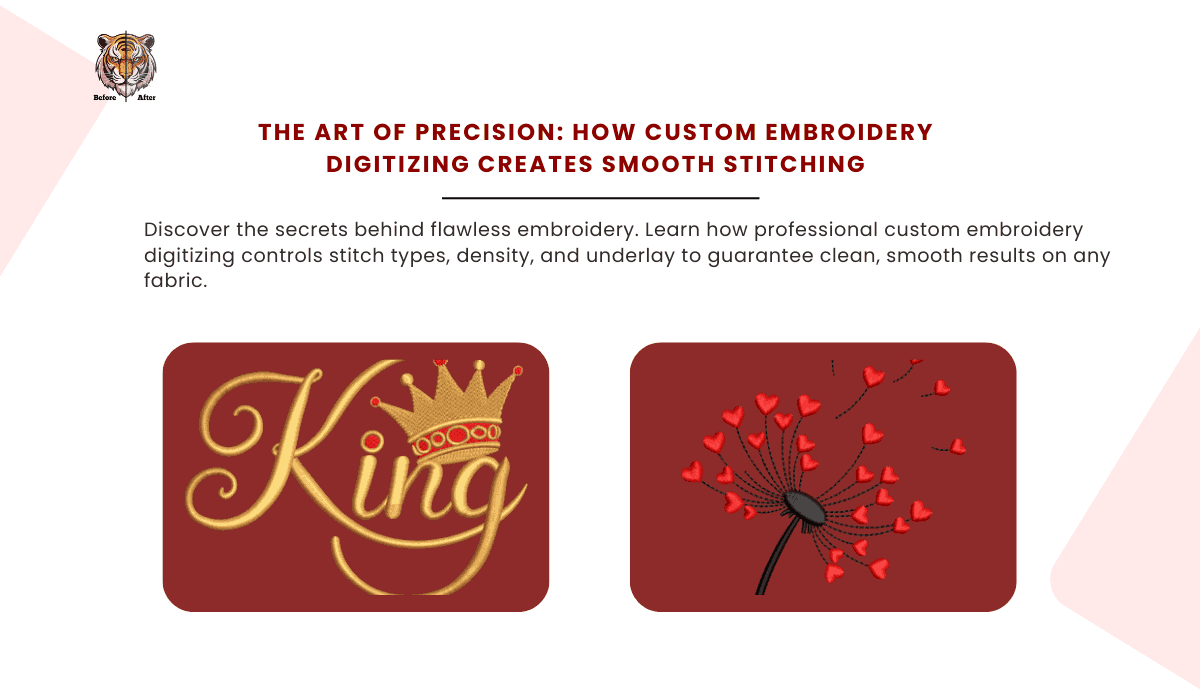
Have you ever seen an embroidered logo that looked lumpy, had gaps, or caused the fabric around it to pucker and warp? On the flip side, you've surely seen a corporate polo or a high-end cap where the stitching was so perfectly smooth and clean it looked like it was part of the fabric itself. The difference between these two outcomes is not the machine, the thread, or even the garment—it's the quality of the custom embroidery digitizing.
Many people assume digitizing is a simple "convert" button that turns an image into a stitch file. In reality, professional digitizing is a meticulous art form, a digital blueprint that tells the embroidery machine exactly how to behave. This blueprint is the single most important factor in achieving clean, durable, and smooth stitching that represents your brand with the professionalism it deserves.
Decoding the Digitizing Process: More Than Just Conversion
At its core, embroidery digitizing is the process of translating a 2D graphic file (like a logo) into a language of stitches. A skilled artist, known as a digitizer, manually plots every single stitch, defining its type, length, density, and direction. This isn't an automated task; it's a thoughtful re-engineering of your design specifically for the medium of thread and fabric.
This is where the distinction between professional work and cheap shortcuts becomes clear. Automated "auto-digitizing" software exists, but it lacks the human intelligence to account for the physics of embroidery. It can't understand how a specific fabric will stretch or how threads will pull, leading to disastrous results like misaligned outlines and uneven fills. True custom embroidery digitizing is an intellectual process that ensures every element works in harmony.
The Foundation of Smoothness: Strategic Underlay Stitching
You wouldn't build a house without a solid foundation, and the same principle applies to embroidery. Before the top, visible layer of colored thread is stitched, a digitizer lays down a foundation of "underlay" stitches. This hidden framework is critical for achieving a smooth, professional finish.
The underlay serves several vital purposes. It stabilizes the fabric, preventing it from shifting or stretching during the embroidery process. It also creates a smooth platform for the top stitches to lie on, preventing them from sinking into soft or textured fabrics like fleece or knitted beanies. This ensures the final design has a raised, crisp appearance rather than looking buried in the material.
Tailoring Underlay to the Fabric
A professional digitizer doesn't use a one-size-fits-all underlay. The type and density of the foundation stitches are carefully chosen based on the garment's fabric.
- For Stretchy Knits (like Polos): An "edge run" underlay might be used to define the shape's boundary and prevent it from distorting. A light mesh or grid underlay across the fill area keeps it stable.
- For Fluffy Fabrics (like Fleece or Terry Cloth): A dense "tatami" or double-zigzag underlay is often used. This creates a strong mat that holds down the fabric's pile, ensuring the top stitches appear bold and are not lost in the texture.
- For Stable Fabrics (like Twill or Denim): A simpler center-run or contour underlay might suffice, as the fabric itself provides much of the needed stability.
Without the correct underlay strategy, even the best design will fail, resulting in puckering and a design that looks sunken and uneven.
Mastering the Language of Stitches: Types, Angles, and Density
Once the foundation is set, the digitizer focuses on the visible stitches that form your logo. The choice of stitch type, its direction, and its density are all artistic decisions that directly impact the final quality.
Satin vs. Tatami (Fill) Stitches
The two most common stitch types are Satin and Tatami. A skilled digitizer knows precisely when to use each for maximum effect.
- Satin Stitches: These are a series of straight stitches laid side-by-side. They are perfect for outlining shapes, creating borders, and stitching text. They have a beautiful, high-sheen finish. However, if a satin stitch is made too long (typically over 7-10mm), it becomes loose and prone to snagging.
- Tatami Stitches (or Fill Stitches): These are smaller, interwoven stitches used to fill large areas of color. A digitizer can control the pattern and texture of this fill to create different effects. Using a tatami fill in a large shape prevents the snagging issues of overly long satin stitches and provides a solid, durable block of color.
The Power of Stitch Angles
The direction, or angle, of the stitches dramatically affects how a design looks. By changing the stitch angles within a design, a digitizer can manipulate how light reflects off the thread. This creates the illusion of depth, texture, and movement. A logo with varied stitch angles will look dynamic and high-end, while one with a single, flat stitch angle will appear lifeless. Furthermore, changing stitch angles helps counteract the natural pull of the fabric, contributing to a flatter, smoother final product.
The Secret Ingredient: Pull Compensation
This is perhaps the most crucial skill in custom embroidery digitizing. When a needle and thread stitch into fabric, they exert force, causing the fabric to pull inward. This phenomenon is called the "pull effect." If you digitize a circle to be exactly one inch wide, it will stitch out to be slightly less than one inch wide because the fabric has been pulled in.
An experienced digitizer anticipates this and applies "pull compensation." They will intentionally digitize the circle to be slightly wider than one inch, knowing that the pull effect will shrink it to the correct final dimension. The amount of compensation needed varies dramatically based on the fabric type, stitch direction, and stitch density. Mastering pull compensation is the key to creating perfectly registered designs where outlines meet fills flawlessly and shapes retain their intended proportions.
Planning the Route: Efficient Stitch Pathing
The order in which a design is stitched is known as "pathing." A digitizer plans the path for maximum efficiency and cleanliness. Good pathing minimizes the number of "jumps" (when the machine stops, trims the thread, and moves to a new area) and "trims." Excessive trims can leave tiny, messy thread tails on the front and back of the garment.
Intelligent pathing guides the machine smoothly from one section to the next, often hiding connecting stitches underneath other parts of the design. This results in a faster, cleaner stitch-out and a more professional-looking back of the garment. It's like planning the most efficient route for a road trip to avoid unnecessary stops and backtracking.
Handling the Details: Small Text and Intricate Lines
Small details, especially text, are notoriously difficult to embroider well. Thread has a physical thickness, and a needle creates a hole. Without proper digitizing, small letters like 'a' or 'e' can close up and become unreadable blobs of thread.
A professional digitizer uses specific techniques for small text, such as using a center-run underlay to provide structure, choosing thinner satin stitches, and slightly exaggerating the open spaces in letters to account for the pull effect. They know the absolute minimum size that text can be to remain legible and will advise on design modifications if the original artwork won't translate well to thread.
Conclusion
Clean, smooth stitching is never an accident. It is the direct and deliberate result of expert custom embroidery digitizing. The digitizer acts as both an artist and an engineer, meticulously planning every detail—from the hidden underlay to the angle of the final stitch. They account for the physics of thread and fabric, applying precise pull compensation and efficient pathing to transform a flat digital image into a dynamic, three-dimensional embroidered masterpiece.
By investing in professional digitizing, you are ensuring that your brand's first impression is one of quality, precision, and excellence. The smooth, flawless finish of a well-digitized logo speaks volumes, turning a simple piece of apparel into a sophisticated and durable branding asset.
FAQs
Q: Why can't I just use a free online converter for digitizing?
Online converters use "auto-digitizing" algorithms that lack the intelligence of a human digitizer. They cannot analyze fabric types, apply proper underlay, calculate accurate pull compensation, or optimize stitch pathing. This almost always results in poor-quality embroidery with puckering, gaps, and misaligned elements.
Q: Why does my final embroidered logo look slightly different from the digital proof?
A digital proof shows colors as pixels on a screen, which is fundamentally different from physical thread. Thread has a sheen and reflects light, which can make colors appear slightly different. Furthermore, the process of stitching, including the essential pull compensation applied by the digitizer, means the digital file is intentionally altered to ensure the physical result is correct.
Q: What is a "stitch count" and is a higher count always better?
Stitch count refers to the total number of stitches in a design. While it indicates the complexity and time needed to sew, a higher count does not automatically mean better quality. In fact, a poorly digitized file might have an unnecessarily high stitch count due to inefficient pathing or excessive density, leading to a stiff, "bulletproof" design. A great digitizer often achieves a better look with a more efficient, and sometimes lower, stitch count.
Q: How does the type of thread used impact the final stitch quality?
Different threads offer different aesthetics and durability. Rayon thread has a beautiful, silky high sheen but is less durable than Polyester thread, which has a bit less shine but is colorfast and resistant to bleach and abrasion. The choice of thread can affect the smoothness and overall look, and your digitizer's file can be optimized for the specific thread type being used.
Q: What information should I provide to a digitizer for the best possible result?
To get the best outcome, provide your digitizer with: the highest quality artwork you have (vector files like .AI or .EPS are best), the exact final size of the logo, the type of garment it will be stitched on (e.g., polo, hat, jacket), and the specific fabric if you know it (e.g., 100% cotton, polyester performance knit, etc.). This information allows them to make critical decisions about underlay, density, and pull compensation.

 English
 Arabic
 French
 Spanish
 Portuguese
 Deutsch
 Turkish
 Dutch
Dutch
 Italiano
 Russian
 Romaian
 Portuguese (Brazil)